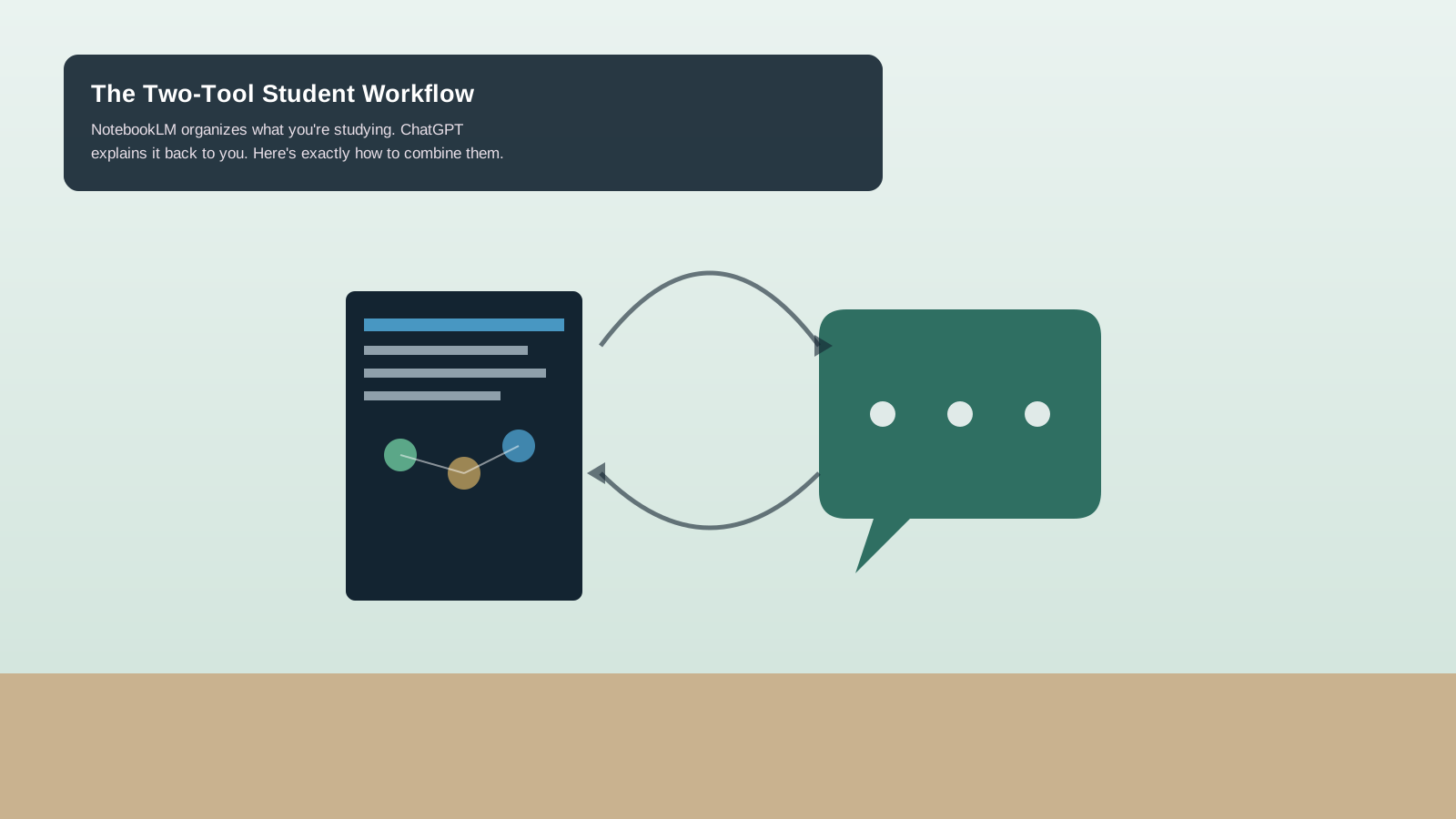
Most advice about AI tools for studying is a list: here are twelve apps, good luck. That's not usually the problem — most students already know ChatGPT and NotebookLM exist. The actual gap is knowing what to do with them together, in what order, for what specific purpose. NotebookLM and ChatGPT aren't built for the same job, and used well, they cover each other's weak spots instead of doing the same thing twice. Here's the specific workflow, step by step.
The story in 60 seconds
- NotebookLM and ChatGPT are built for different parts of studying, not the same task — that's the whole reason to use both.
- NotebookLM works only with sources you actually upload (PDFs, articles, transcripts) and is strong at organizing and summarizing them, including a Mind Maps feature showing how ideas connect.
- ChatGPT is stronger at open-ended explanation, quizzing, and working through problems conversationally.
- The five-step workflow: upload sources → generate an overview in NotebookLM → export questions to ChatGPT → generate practice questions → verify uncertain answers back in NotebookLM's citations.
- Students using a combined workflow like this report saving meaningful time weekly — treat that as a directional benefit, not a guaranteed number for everyone.
AI SummaryAI-generated summary, reviewed by editors
Most 'best AI tools for students' lists are just app catalogs. This is a specific, five-step workflow: how to combine Google's NotebookLM (built to organize what you're actually studying) with ChatGPT (built to explain and quiz you on it) so they cover each other's weak spots instead of doing the same job twice.
Switch to Shorts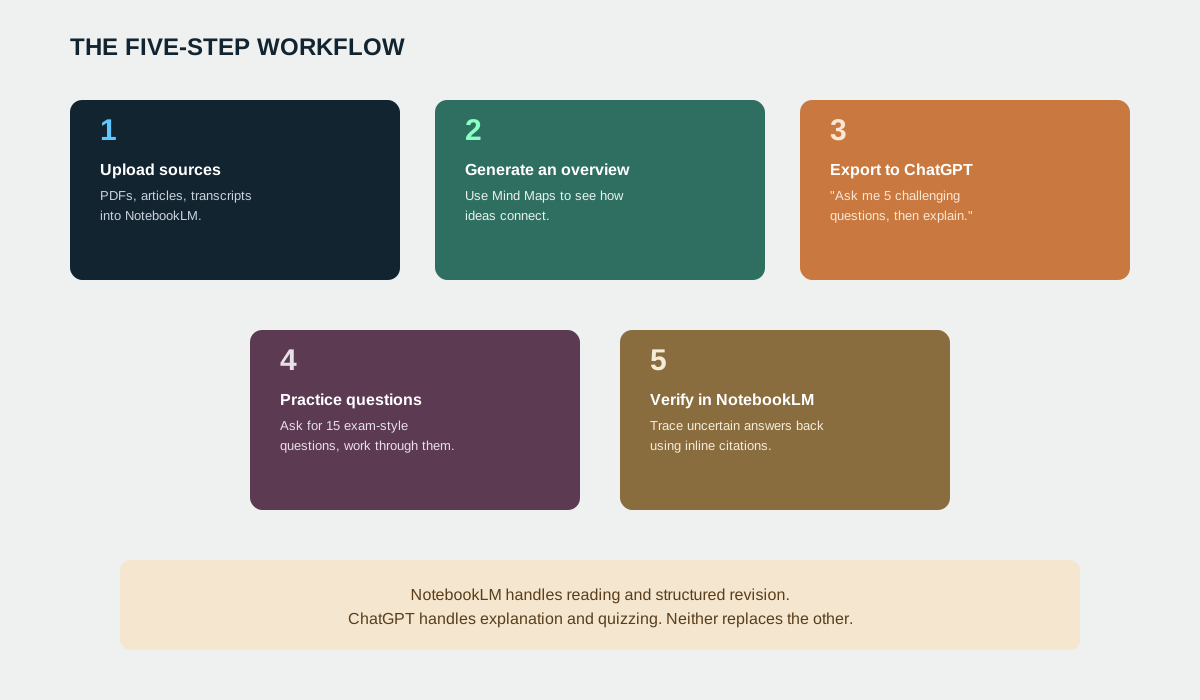
Why two tools instead of one
The honest reason this works is that NotebookLM and ChatGPT are answering different questions. NotebookLM only knows what you actually feed it — your lecture notes, your assigned readings, your own PDFs — so its answers stay grounded in your specific material rather than drifting into generic web knowledge. That's exactly what you want for structured revision, but it also means it's not built for the kind of open-ended "explain this differently" conversation that helps a concept actually click. ChatGPT is the opposite: excellent at explaining, rephrasing, and quizzing conversationally, but with no built-in awareness of your specific course material unless you paste it in. Used separately, each tool does half the job. Used together, in a specific order, they cover the other half.
The five-step workflow
Step 1 — Upload your sources to NotebookLM. PDFs, long articles, lecture slides, video transcripts — whatever your actual course material is. NotebookLM works exclusively from what you give it, which is the point: no hallucinated tangents from unrelated web content.
Step 2 — Generate a study overview. Use NotebookLM's Mind Maps feature to see how the different pieces of what you uploaded actually connect to each other. This is where you catch gaps in your own understanding before you've even started quizzing yourself — seeing the structure often reveals what you don't actually understand as well as you thought.
Step 3 — Export questions into ChatGPT. Take the suggested questions NotebookLM generates and paste them into ChatGPT with a specific prompt: "Ask me 5 challenging questions on [topic], then correct and explain my answers." This is the step that actually uses ChatGPT's strength — conversational explanation of where and why an answer is wrong, not just a right/wrong marker.
Step 4 — Generate additional practice material. Ask ChatGPT directly for a larger set — 15 exam-style questions ranging from basic recall to applied problems — and work through them properly, not just skimming the answers.
Step 5 — Verify anything uncertain back in NotebookLM. For any answer you're not confident about, or anything you plan to actually cite in written work, trace it back to the original source inside NotebookLM. Its inline citation feature makes this fast — faster than it sounds — and it's the step that keeps ChatGPT's conversational explanations honest against your actual source material, rather than trusting a plausible-sounding answer that isn't grounded in what you were actually assigned.
Where this workflow will and won't help
This is genuinely useful for exam prep, working through assigned readings, and building study guides from your own material — anywhere the core task is "understand and retain a defined body of source content." It's a poor fit for original research or creative work, where the constraint isn't organizing known material but generating genuinely new ideas — different tools and a different workflow apply there. And it's worth saying plainly: neither tool replaces actually doing the reading yourself at least once. The workflow accelerates review and self-testing; it doesn't substitute for engaging with the material in the first place.
Claim versus evidence
- Confirmed fact: NotebookLM works exclusively from user-uploaded sources and includes a Mind Maps feature for visualizing connections between ideas.
- Confirmed fact: The specific export-questions-to-ChatGPT prompting technique and five-step sequence described here are documented in multiple independent how-to guides describing the combined workflow.
- Reported, not independently measured by us: Specific time-savings figures (e.g., "3-5 hours weekly") cited in some coverage are self-reported by individual students in those articles, not a controlled measurement — treat as directional, not a guarantee for every student or subject.
- Our analysis: The framing of NotebookLM and ChatGPT as covering "each other's weak spots" is our synthesis of how each tool's design constraints work, not a claim either company makes about the other's product.
Frequently asked questions
Do I need to pay for either tool to do this?
Both NotebookLM and ChatGPT offer free tiers sufficient for this workflow for most individual students; heavier or more frequent use may benefit from a paid tier, but it's not required to start.
Can I use this workflow with a different chat AI instead of ChatGPT?
Yes — the underlying idea (source-grounded organization tool paired with a conversational explainer/quizzer) works with other AI assistants too. ChatGPT is used here because it's the one most of the source guides for this specific technique were built around.
Does this work for subjects that aren't reading-heavy, like math or coding?
It works best for material that exists as text, slides, or transcripts you can upload. For problem-set-heavy subjects, the ChatGPT quizzing step is more directly useful than the NotebookLM organization step, since there's less "source material" to summarize in the same way.
The bottom line
The useful insight here isn't "use AI to study" — everyone's already heard that. It's that two specific tools, used in a specific five-step sequence, do meaningfully more than either alone: NotebookLM keeps you grounded in what you were actually assigned, ChatGPT does the explaining and quizzing that makes it stick, and the final verification step keeps the whole loop honest. That's a workflow, not just a tool list — which is the part most "best AI tools for students" roundups skip.
Sources
- I use NotebookLM and ChatGPT together — here's why you should too — Android Police
- I started using NotebookLM with ChatGPT, and the results were incredible — MakeUseOf
- How to Use NotebookLM for Studying: Full 2026 Guide — AI Native Student
Full forms
- AI — Artificial Intelligence
- PDF — Portable Document Format
HeadlineDecoded is committed to accuracy and transparency. Read our standards or submit a correction.